No products in the cart.

Custom vs. Ready-Made Software in 2026: What Is Best for Your Business?
23 Oct
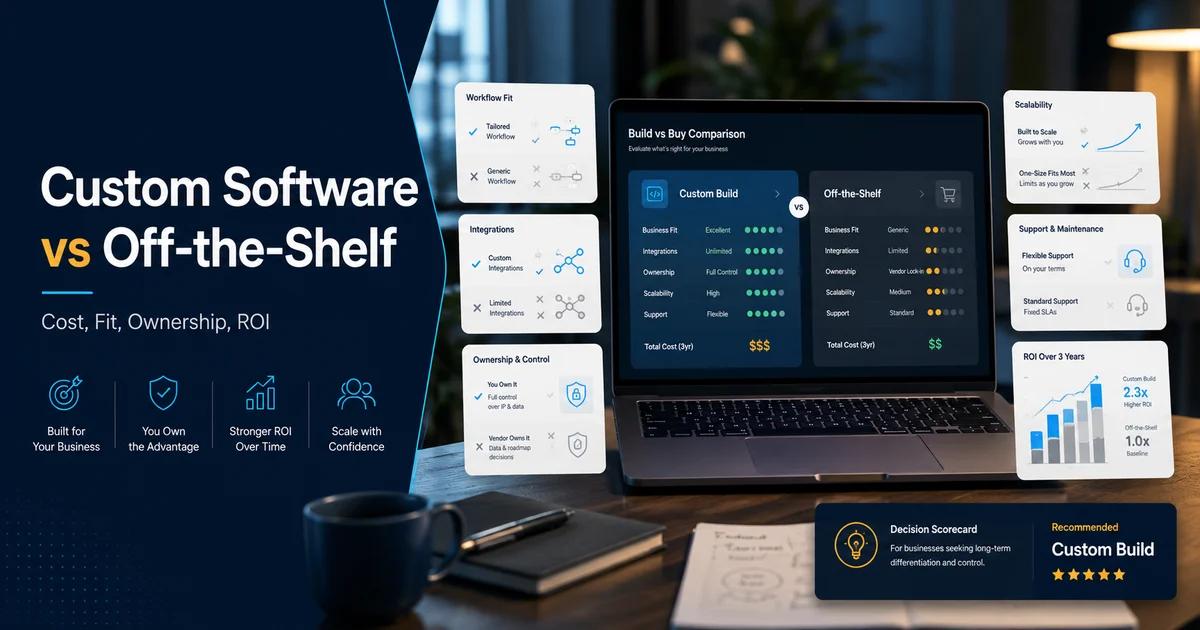
Choosing software is an important business decision. The right system can help teams work efficiently, manage information, and serve customers, while the wrong fit can create extra steps and ongoing costs.
Businesses generally choose between ready-made software, designed for a broad range of users, and custom software, developed around specific needs. In 2026, the best choice depends less on which option sounds more advanced and more on how well it supports the way a business operates.
Before deciding, compare the immediate setup, total cost over time, integration needs, security requirements, and the flexibility needed as the company grows.
When is ready-made software a good fit?
Ready-made software is often suitable when a business needs common features such as accounting, project tracking, customer relationship management, or team collaboration. It can usually be deployed quickly, and the provider may supply updates, documentation, and support.
Subscription plans can also make initial costs easier to predict. However, businesses should check user limits, add-on fees, integration options, and whether the product’s standard workflow matches their processes. Workarounds can become expensive when employees must repeatedly adapt their work to the software.
When does custom software make more sense?
Custom software may be a better fit when a company has specialised workflows, distinctive service requirements, or systems that do not connect well with available products. It can be designed around the business’s processes and can provide more control over features, integrations, and future changes.
This flexibility comes with responsibilities. Development requires clear requirements, testing, project oversight, and a plan for maintenance, security, and future improvements. The business should also consider whether it has a reliable development partner and the internal capacity to manage the solution.
How should you compare the real costs?
Do not compare only the purchase price with the initial development quote. Estimate the total cost of ownership over several years, including subscriptions, licences, customisation, integrations, staff training, support, maintenance, hosting, and upgrades.
Ready-made software may be cheaper to start, but multiple subscriptions or complex workarounds can increase its long-term cost. Custom software usually requires a larger initial investment, yet may offer value when it removes recurring manual work or supports processes that off-the-shelf tools cannot handle well. Use realistic assumptions and review the cost as needs change.
Questions to ask before deciding
List the business problems the software must solve and separate essential features from optional ones. Check whether existing tools can meet the requirements with reasonable configuration, and identify any gaps that would affect customers, staff, compliance, or reporting.
Also consider data security, ownership and portability, integration with current systems, vendor support, expected growth, and what happens if the provider or development partner is no longer available. A small pilot or proof of concept can help validate the choice before a wider rollout.
As Ermal Beqiri, founder of ALSoft, explains:
“The right software is not necessarily the most complex or the most popular. It is the solution that solves a real business problem today and can support the company’s growth tomorrow.”
There is no universal winner between custom and ready-made software. Ready-made tools can be ideal for standard needs and rapid deployment; custom software can be worthwhile when unique processes or strategic requirements demand a closer fit. Define your priorities, compare the full cost, and test the option against real business needs before committing.